

Does Skyline™ OS on the 2026 Harley-Davidson® Street Glide® make long-distance touring easier around Mason, OH?
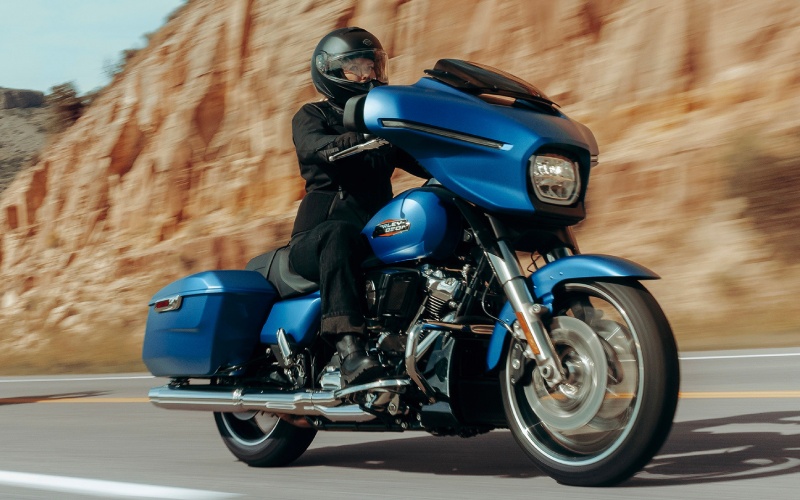
Queen City Harley-Davidson® - Does Skyline™ OS on the 2026 Harley-Davidson® Street Glide® make long-distance touring easier around Mason, OH?
Touring is at its best when the technology fades away and the road takes center stage. On the 2026 Harley-Davidson® Street Glide®, Skyline™ OS and a 12.3-inch full-color TFT display are designed with that philosophy in mind, turning navigation, audio, and bike data into a calm, rider-first experience that keeps your focus ahead. From route planning to headset pairing, the interface minimizes taps and maximizes clarity, so you can keep your gloves on, your eyes up, and your ride moving.
The system’s layout is customizable, allowing riders to prioritize what matters most on any given day — map-forward when you are stringing together unfamiliar backroads, audio-forward for long interstate stretches, or data-forward when you want a concise read of temps, pressures, and trip metrics. Apple CarPlay works wirelessly or via USB, which means you can choose reliability for multi-hour rides or convenience for quick hops across town. The two 5.25-inch fairing speakers and 50 W per channel output deliver crisp audio that holds up at speed, and Bluetooth support keeps your phone, media, and headset connected. Queen City Harley-Davidson® is serving Mason, Batavia, and Dayton with practical guidance to set up Skyline™ OS the right way the first time, so you can hit the road with confidence.
- Device pairing basics: Start with a full battery, pair your phone and headset in a quiet environment, and verify permissions for contacts, audio, and navigation.
- Display presets: Save a map-centric layout for weekend trips and an audio-centric layout for daily commuting — swap in seconds from the home screen.
- Navigation reliability: For all-day routes, bring a charging cable and enable offline maps; for shorter rides, wireless CarPlay keeps your cockpit clean.
- Audio clarity at speed: Check helmet speaker placement and consider matched headset upgrades if you often ride above highway speeds.
- Glove-friendly use: Preload favorite destinations and playlists so you spend less time navigating menus on the move.
These simple steps give Skyline™ OS a head start, and they pay off when weather changes, detours appear, or you need to adapt on the fly. Because the Street Glide® integrates bike data with infotainment, you can monitor TPMS alerts, engine information, and trip stats without juggling separate apps. When combined with the platform’s Rider Safety Enhancements — including ABS, linked braking, and traction support that adapts in corners — the cockpit becomes a hub for smarter, calmer touring.
Frequently Asked Questions:
Can I use Apple CarPlay without plugging in my phone?
Yes. Skyline™ OS supports Apple CarPlay wirelessly and via USB. Wireless is convenient for short rides; wired can be useful for long days when constant charging matters.
How does the display hold up in bright sunlight or at night?
The 12.3-inch TFT is full-color and tuned for changing light. Riders typically report strong daytime readability and comfortable night brightness, with quick access to dimming settings.
Do I need a specific headset for voice control?
Voice recognition for phone functions is phone dependent, and headset performance varies. Use a quality, compatible Bluetooth headset and confirm pairing for the best results.
Ultimately, the best touring tech stays out of your way — and that is where Skyline™ OS excels. By organizing the essentials and trimming the friction, the 2026 Street Glide® makes it easier to settle into a long-haul rhythm, whether you are tracing river roads out of town or crossing state lines at dawn.